
Media analysis
In the background, Matinee reads each file for what’s inside: resolution, HDR (HDR10, HDR10+, HLG, Dolby Vision), codecs and bitrates, audio channels, Dolby Atmos and languages, subtitles, and where the credits start.
That’s where the badges on titles come from, along with the Quality filters (4K, HDR, Atmos…), the File details, and the timing of Up next.
Gentle on your server
Section titled “Gentle on your server”The analysis reads one file at a time at the lowest priority, waits while someone’s watching something being converted, and rests for a few minutes when files are slow to read. It looks at a file again only when the file changes, so after the first pass it has little to do.
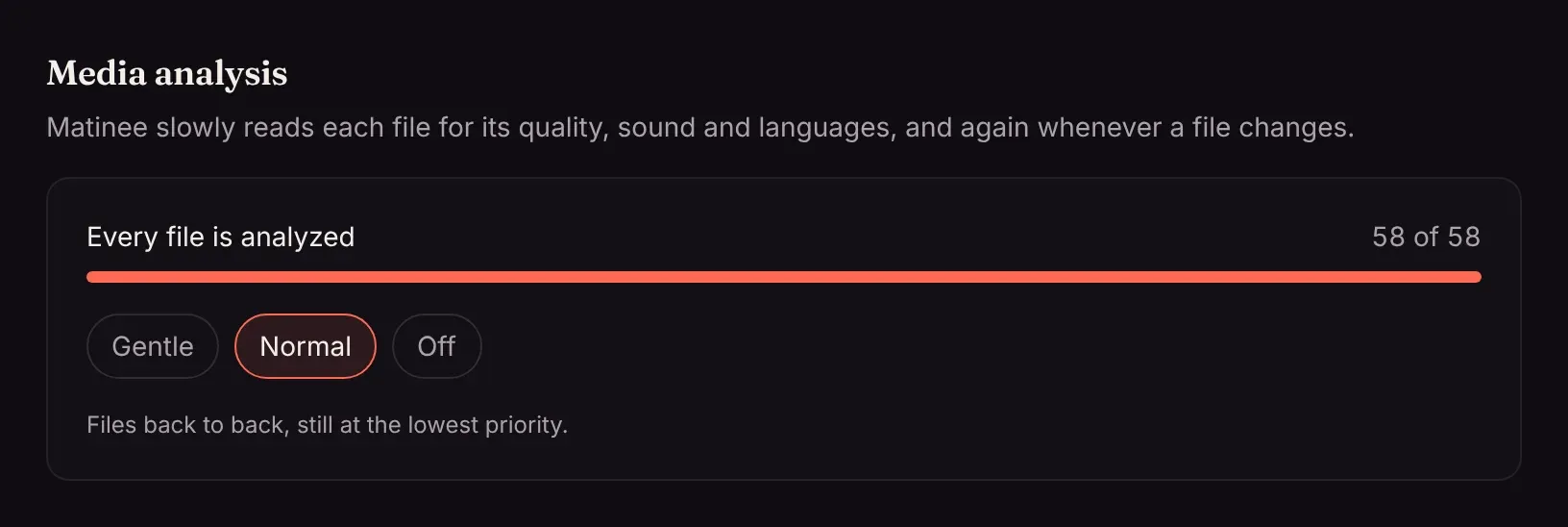
Admins can see its progress under Settings → Media analysis and pick a speed:
| Speed | |
|---|---|
| Gentle (default) | One file every few seconds, and none while the server is converting something for playback. |
| Normal | Files back to back, still at the lowest priority. Good for the first pass over a new library. |
| Off | Paused until you turn it back on. |
On a big library the first pass on Gentle takes a while; switch to Normal to hurry it along. Everything works in the meantime, and titles get their badges as they’re reached.