
Watching away from home
Turn on Settings → Remote access → Watch away from home and Matinee sets itself up to be reached from outside your home, with nothing to configure on the router.

What it does
Section titled “What it does”- Opens a port. It asks your router to forward a port to it (7443, or another the router picks) over UPnP or NAT-PMP. Most home routers allow this; if yours doesn’t, turn on UPnP in its settings.
- Gets a certificate. It gets an HTTPS certificate for your public IP address from Let’s Encrypt, so phones and browsers trust the connection. For the check, Let’s Encrypt connects once through port 443 or 80, which Matinee forwards for a minute and closes again. This also proves the internet can reach the server. The certificate lasts six days and renews by itself, and a new one is fetched when your address changes.
- Tells the apps. The apps pick up the outside address while they’re at home and use it when they’re away.

Everyone signs in from outside. Nothing that arrives through this port counts as home.
When it doesn’t work
Section titled “When it doesn’t work”Settings shows what stands in the way.
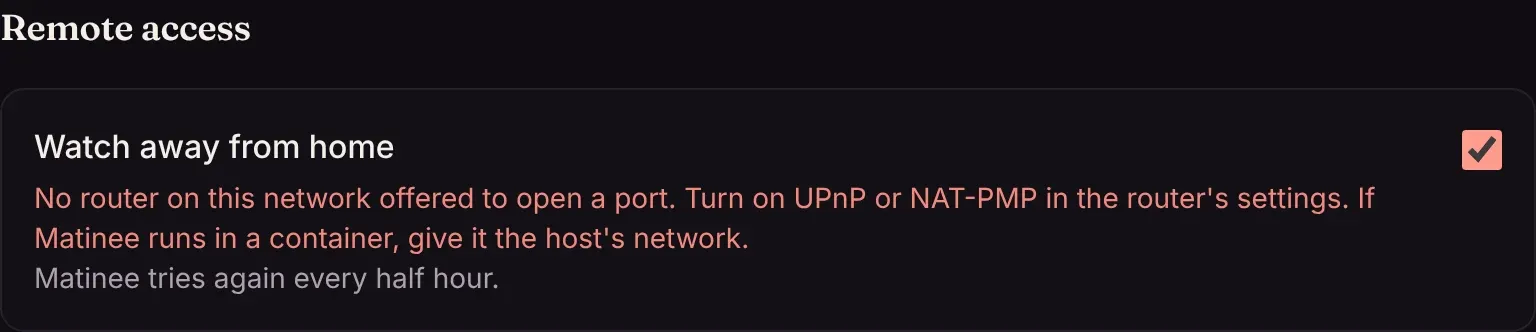
Two setups can’t be reached directly:
- An internet provider that shares one public address among many customers (called carrier-grade NAT, common on mobile and some fiber connections).
- A second router in front of yours, such as an ISP modem that also routes.
In both cases, ask your provider for a public address, put the modem in bridge mode, or use your own domain through a tunnel or VPN (below).
If your public address changes while you’re away, the apps learn the new one the next time they’re home.
Where it’s available
Section titled “Where it’s available”Remote access needs Matinee on the host’s network: apt, dnf, Homebrew, source, or Docker with network_mode: host. It isn’t offered in the Helm chart, where the ingress is the way in. To not offer it at all, set MATINEE_REMOTE_ADDR=off.
Using your own domain instead
Section titled “Using your own domain instead”If you already reach Matinee at your own address, through a reverse proxy, a tunnel or a VPN, set MATINEE_PUBLIC_URL (such as https://matinee.example.com) and the apps use that away from home.