
Your first plugin
This page builds Stories, a plugin for short stories kept as text and Markdown files. A Stories library shows each story with its title, opening lines and reading time. Playing one opens a reader that remembers where you got to. It takes about half an hour. The finished plugin is in pluginsdk/examples/stories if you want to compare.
You need:
- Go 1.24 or later.
- A browser.
- A Matinee server, v0.1.1 or later, to install the plugin in at the end. You can do everything before that without one.
1. Install the tool
Section titled “1. Install the tool”go install github.com/yeixio/matinee/cmd/matinee-plugin@latestThis puts matinee-plugin in your Go bin folder (~/go/bin unless you changed it). Make sure that folder is on your PATH.
2. Start the plugin
Section titled “2. Start the plugin”matinee-plugin new -name Stories -ext .txt,.md -item story storiescd storiesThat makes a folder with a plugin that already works. It files every .txt and .md file as a story named after the file, with a player that shows its size:
| File | What it’s for |
|---|---|
plugin.json |
The manifest: the plugin’s id, name and version, and what it adds |
main.go, main_test.go |
The server part and its test |
player/ |
The player: index.html, player.js, player.css, and matinee-player.js to talk to Matinee |
icon.png |
A placeholder icon for Settings |
go.mod |
The Go module, which requires the SDK |
3. Describe it in plugin.json
Section titled “3. Describe it in plugin.json”Open plugin.json. It says the plugin adds a library kind called stories for .txt and .md files, whose items are story items, and that the page at player/index.html plays them. Stories kept in a folder will go in a book named after that folder, so add book to itemKinds. Also fill in the description, author and homepage:
{ "id": "stories", "name": "Stories", "version": "1.0.0", "api": 1, "description": "Read short stories kept as text and Markdown files.", "author": "Your name", "license": "MIT", "homepage": "https://example.com/stories", "icon": "icon.png", "server": "server.wasm", "libraryKinds": [ { "name": "stories", "label": "Stories", "description": "Text and Markdown files, one story each. A folder of them is a book.", "extensions": [".txt", ".md"], "itemKinds": ["story", "book"] } ], "players": [{ "itemKinds": ["story"], "entry": "player/index.html" }]}The playable kind comes first in itemKinds. Every field is described in plugin.json.
4. Write the server part
Section titled “4. Write the server part”When Matinee scans a Stories library, it calls the server part’s index handler once for each .txt and .md file. The handler says what the file is. Replace main.go with this:
package main
import (  "bufio"  "fmt"  "os"  "path/filepath"  "strings"
  plugin "github.com/yeixio/matinee/pluginsdk")
func init() {  plugin.Register(plugin.Handlers{Index: index})}
func main() {}
const wordsPerMinute = 230
func index(r plugin.IndexRequest) (plugin.IndexResult, error) {  f, err := os.Open(r.Path)  if err != nil {    return plugin.IndexResult{}, err  }  defer f.Close()
  // The title is the first line, the overview the first paragraph after it.  var title string  var overview []string  words, overviewDone := 0, false  sc := bufio.NewScanner(f)  for sc.Scan() {    line := strings.TrimSpace(sc.Text())    words += len(strings.Fields(line))    switch {    case line == "":      overviewDone = len(overview) > 0    case title == "":      title = strings.TrimSpace(strings.TrimLeft(line, "#"))    case !overviewDone && !strings.HasPrefix(line, "#"):      overview = append(overview, line)    }  }  if title == "" {    return plugin.IndexResult{}, nil // an empty file: skip it  }
  minutes := max(1, (words+wordsPerMinute/2)/wordsPerMinute)  it := &plugin.Item{    Kind:  "story",    Title: title,    Details: plugin.Details{      Overview: strings.Join(overview, " "),      Facts: []plugin.Fact{        {Label: "Words", Value: fmt.Sprint(words)},        {Label: "Reading time", Value: fmt.Sprintf("%d min", minutes)},      },    },    // Kept with the story and handed to the player.    Data: map[string]any{"minutes": minutes, "markdown": strings.EqualFold(filepath.Ext(r.Path), ".md")},  }  // A story in a folder goes in a book named after the folder.  if dir := filepath.Dir(r.Path); dir != filepath.Clean(r.Root) {    it.Parents = []plugin.Parent{{Kind: "book", Title: filepath.Base(dir)}}  }  return plugin.IndexResult{Item: it}, nil}
A few things to notice:
- The handler reads the file with the
ospackage, as any Go program would. Inside Matinee, the server part sees the library’s folders at their usual paths, read only. - Returning no item skips the file.
Parentsare containers, outermost first. Matinee makes each one once and puts every story that names it inside.Datais yours. Matinee keeps it with the item and gives it to the player.
The server part covers everything else a handler can return.
5. Test it
Section titled “5. Test it”Handlers are ordinary Go functions, so test them with go test. Make a folder of stories to test with, testdata/library, with a couple of .txt files in it and one in a subfolder. Then replace main_test.go:
package main
import (  "path/filepath"  "testing"
  plugin "github.com/yeixio/matinee/pluginsdk")
func TestIndex(t *testing.T) { root := "testdata/library" res, err := index(plugin.IndexRequest{Root: root, Path: filepath.Join(root, "Fables", "the-fox-and-the-grapes.txt")}) if err != nil { t.Fatal(err) } if it := res.Item; it.Title != "The Fox and the Grapes" || it.Parents[0].Title != "Fables" { t.Errorf("got %+v", it) }}go test ./...Next, see what the plugin makes of a real folder. This is the same check Matinee runs: scan builds the server part and runs it in the same sandbox, against your folder:
matinee-plugin buildmatinee-plugin scan testdata/libraryFables/the-fox-and-the-grapes.txt story "The Fox and the Grapes" in: book "Fables" overview: A Fox one day spied a beautiful bunch of ripe grapes hanging from a vine trained along the branch... Words: 160 Reading time: 1 min data: {"markdown":false,"minutes":1}
1 files: 1 items, 0 skipped, 0 errorsAnything Matinee would refuse or leave out shows as a problem: line under the file, such as a poster it can’t find.
6. Write the player
Section titled “6. Write the player”When someone plays a story, the web player opens player/index.html full screen in a sandboxed frame. The page gets the story’s file through matinee-player.js. Replace player/player.js with a reader:
import { connect } from './matinee-player.js'
const matinee = await connect()const story = document.getElementById('story')
// The story's file, and what the server part kept with it.const text = new TextDecoder().decode(await matinee.file())for (const para of text.split(/\n\s*\n/)) {  const p = document.createElement('p')  p.textContent = para  story.append(p)}
// Where the reader got to, kept for each person.const key = `position/${matinee.item.id}`const saved = await matinee.storage.get(key)if (saved) story.scrollTop = Number(new TextDecoder().decode(saved))
// Half a second after the reader stops scrolling, save their place.const minutes = matinee.item.pluginData.minuteslet timerstory.addEventListener('scroll', () => {  clearTimeout(timer)  timer = setTimeout(async () => {    await matinee.storage.put(key, String(story.scrollTop))    const read = story.scrollTop / (story.scrollHeight - story.clientHeight)    await matinee.progress(Math.round(read * minutes * 60_000), read > 0.98)  }, 500)})
// Done marks the story read and closes the player.document.getElementById('done').onclick = async () => {  await matinee.progress(minutes * 60_000, true)  await matinee.exit()}
And give player/index.html a place for the story and a Done button:
<!doctype html><html><head> <meta charset="utf-8"> <meta name="viewport" content="width=device-width, initial-scale=1"> <link rel="stylesheet" href="player.css"></head><body> <button id="done" style="float: right">Done</button> <article id="story" style="height: 90vh; overflow-y: auto; max-width: 36em; margin: auto"></article> <script type="module" src="player.js"></script></body></html>connect()resolves once the web player says what to play:matinee.itemhas the title, the facts and thepluginDatathe server part kept.matinee.storagekeeps small values for each person. A save on one device is there on another.matinee.progresssaves how far the person got.finishedmarks the story read.matinee.exit()closes the player. The web player also has a Back button of its own in the top-left corner, so the page leaves that corner free.
The example’s reader also shows Markdown headings, a progress bar and a few languages. The player has the whole API.
7. Try it in a browser
Section titled “7. Try it in a browser”You don’t need a Matinee server to try the player:
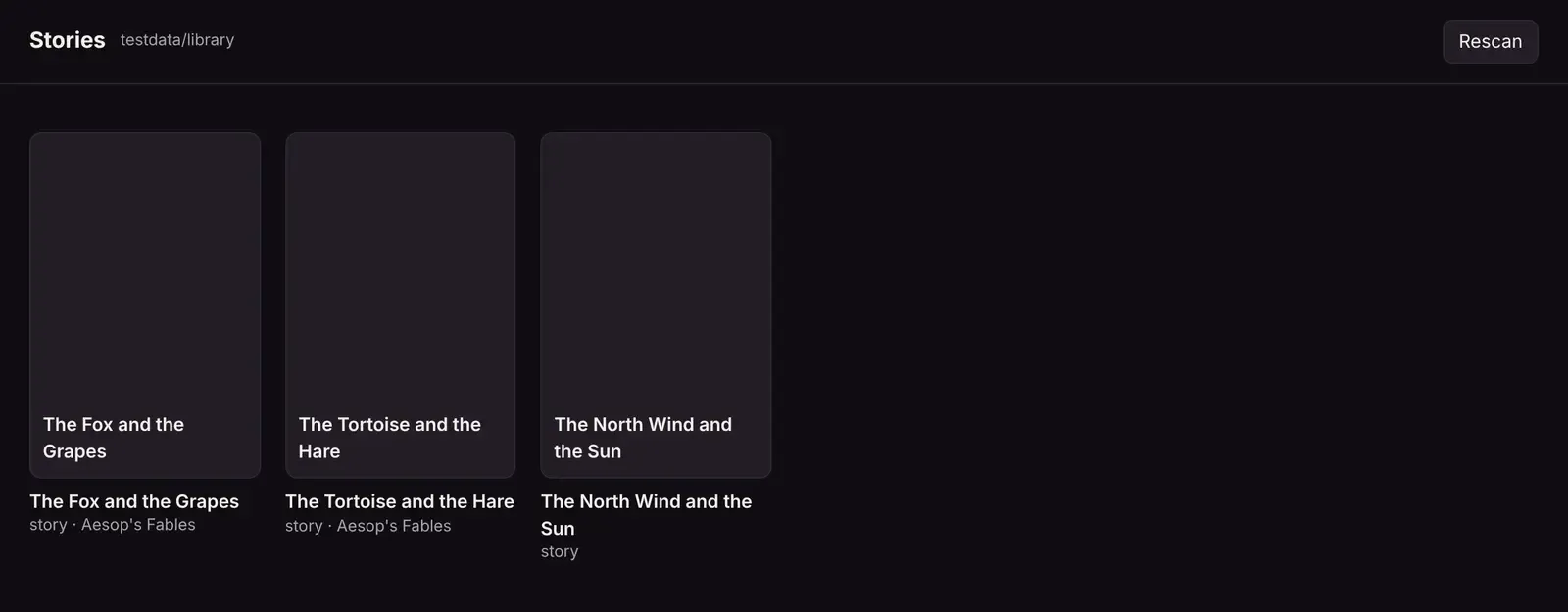
matinee-plugin try testdata/libraryOpen the address it prints. You get a page of your stories, scanned by your server part. Click one to read it in your player, in the same sandboxed frame the web player uses. The page answers the player’s requests the way the web player does, and Requests shows each one. The player’s storage is kept in .matinee-dev/storage, so you can test picking up where you left off. Change the player’s files and reload the page. Change main.go, run matinee-plugin build again, and click Rescan.
8. Install it in Matinee
Section titled “8. Install it in Matinee”matinee-plugin buildThe tool checks the plugin the way Matinee will, builds server.wasm, and writes stories.matinee-plugin. Then, in Matinee:
- Open Settings → Plugins, click Add plugin, choose From a file, and pick
stories.matinee-plugin. - Click Stories in the list, then Turn on.
- In Settings → Libraries, click Add a library, pick Stories, and choose a folder of stories.
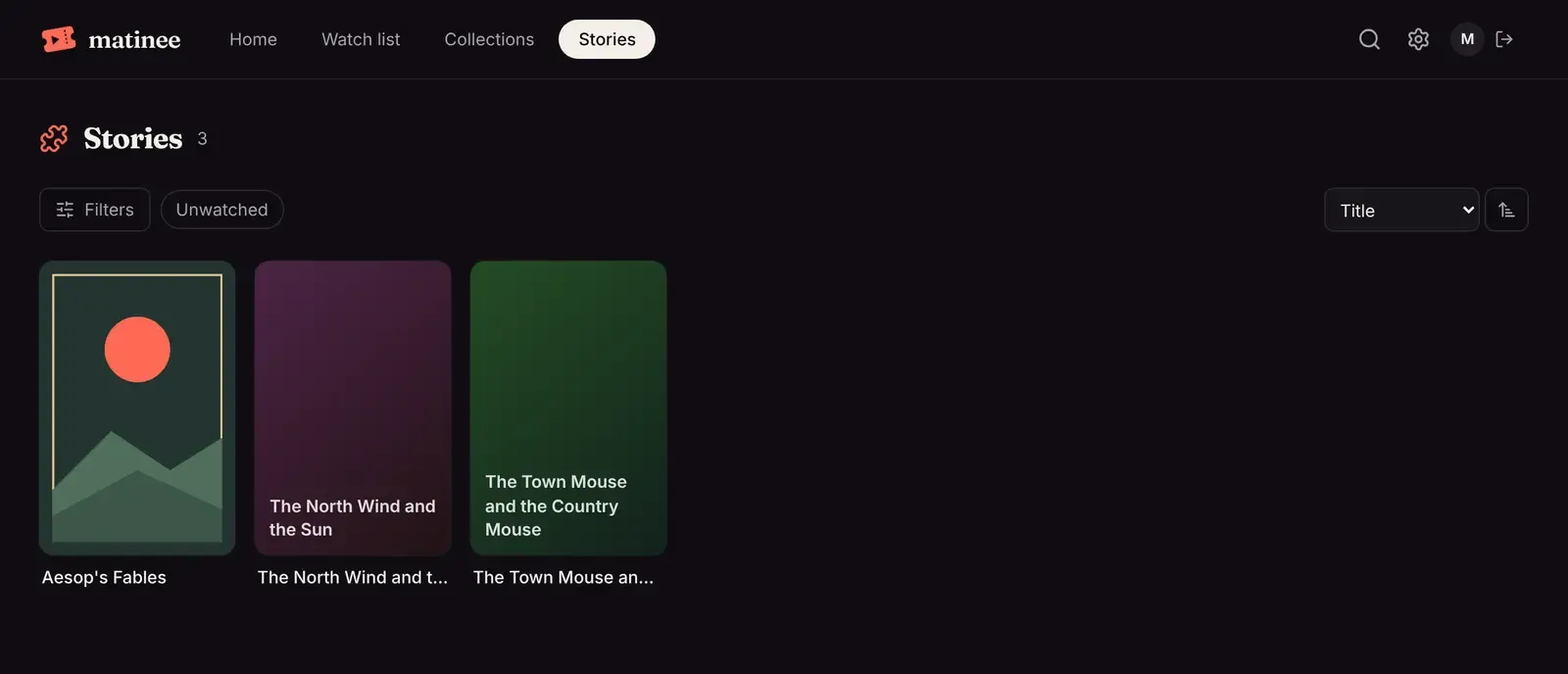
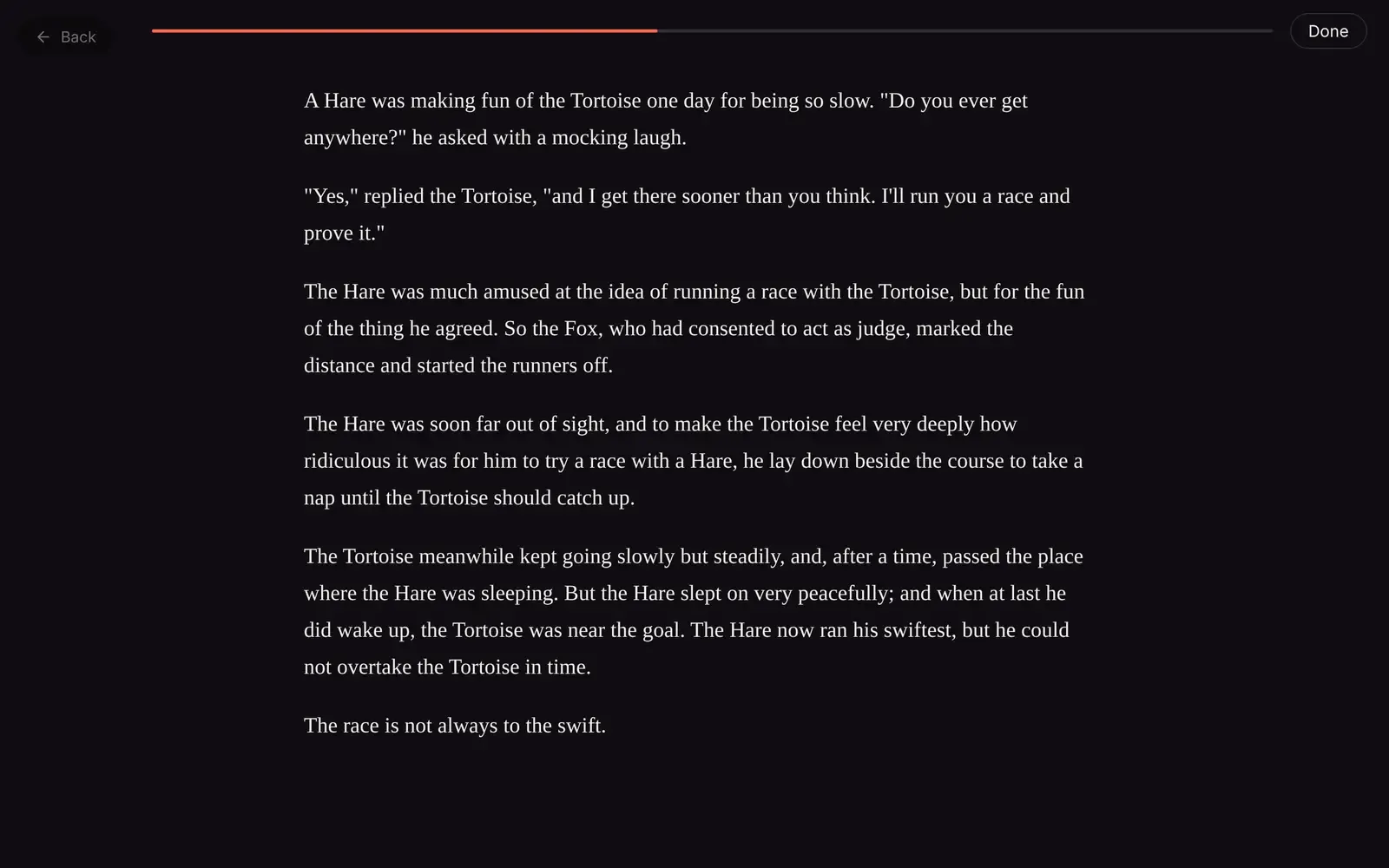
Play a story to read it in your reader, inside the web player:
To update the plugin, run matinee-plugin build again and add the new file the same way. Matinee replaces the old version and keeps it turned on.
- plugin.json lists every field.
- The server part covers details looked up online, artwork, events and settings.
- The player covers the whole player API.
- Testing and debugging covers the rest of the tool.
- Publishing explains how to share your plugin and get it into the official list.