
Discover
When an admin has connected Overseerr, a Discover tab appears next to your libraries, on the web and in the apps. It’s for finding things you don’t have yet.
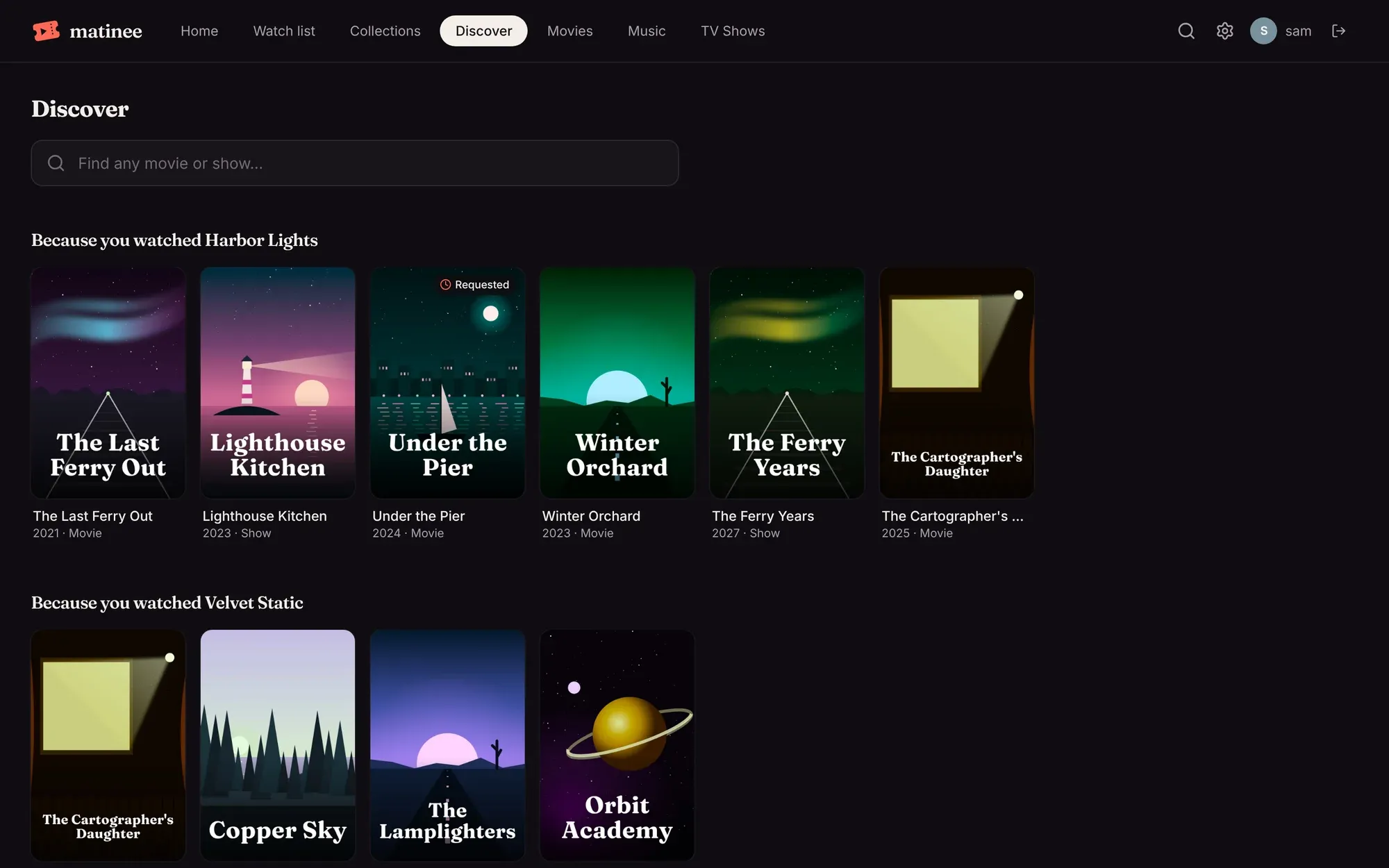
The rows
Section titled “The rows”- Because you watched …: titles like the two you watched most recently. Each person (and each profile) gets their own.
- Trending, Popular movies and Popular shows: what people are watching right now.
- Coming to cinemas and New shows coming up: what’s on its way.
The Because you watched rows leave out titles you already have. Elsewhere, a badge on a poster says when a title is In your library, has been Requested, or is On its way.
Asking for a title
Section titled “Asking for a title”Click a poster to read about it. If you can ask for titles on this server, Request (or Request the show, which asks for every season) sends it to Overseerr.
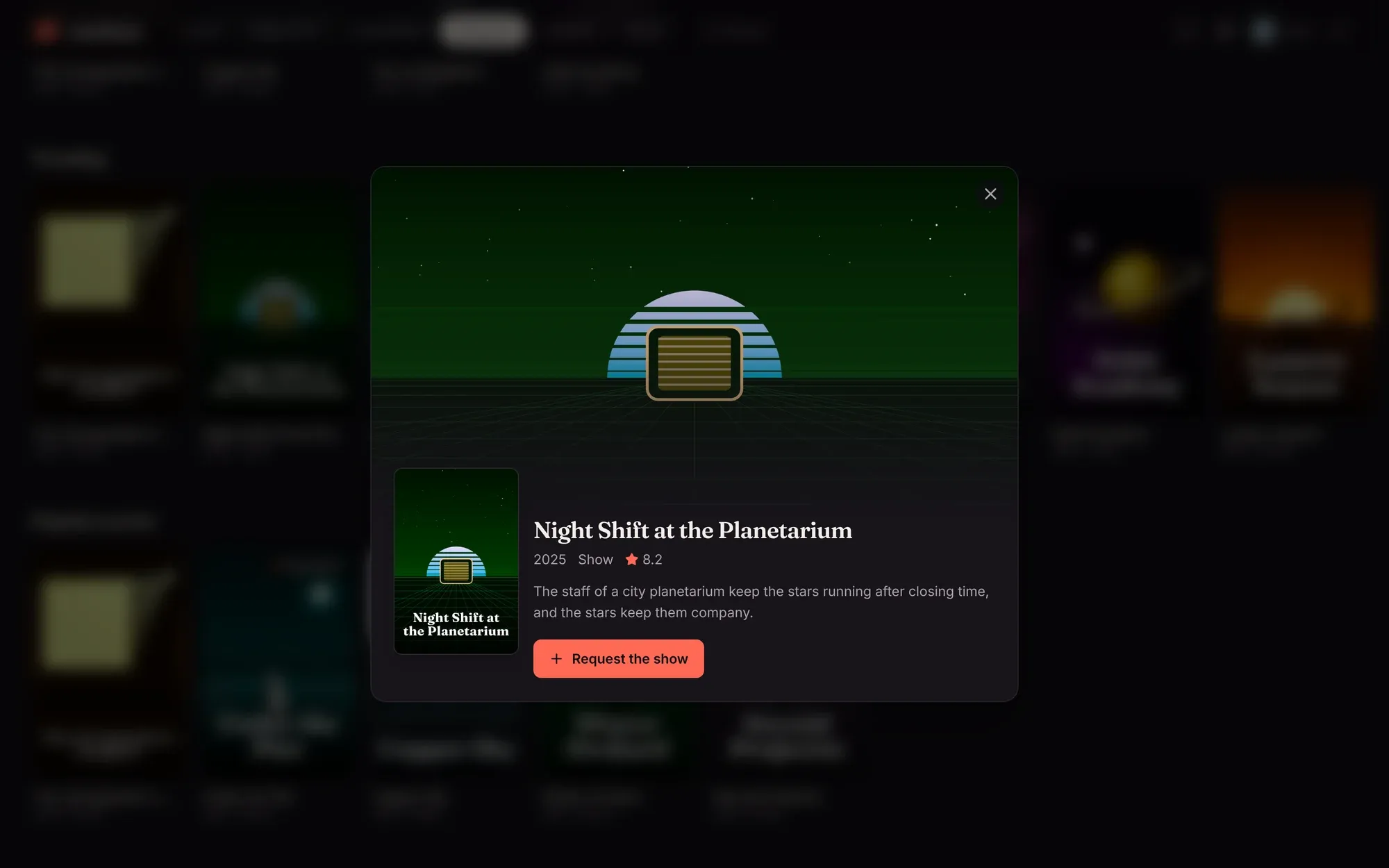
What happens next is up to Overseerr. If your Overseerr account can add titles straight away, it starts downloading; otherwise it waits for an admin to approve it there. Either way, it shows up in your library by itself once it’s downloaded, and Recently added puts it at the front of Home.
Searching
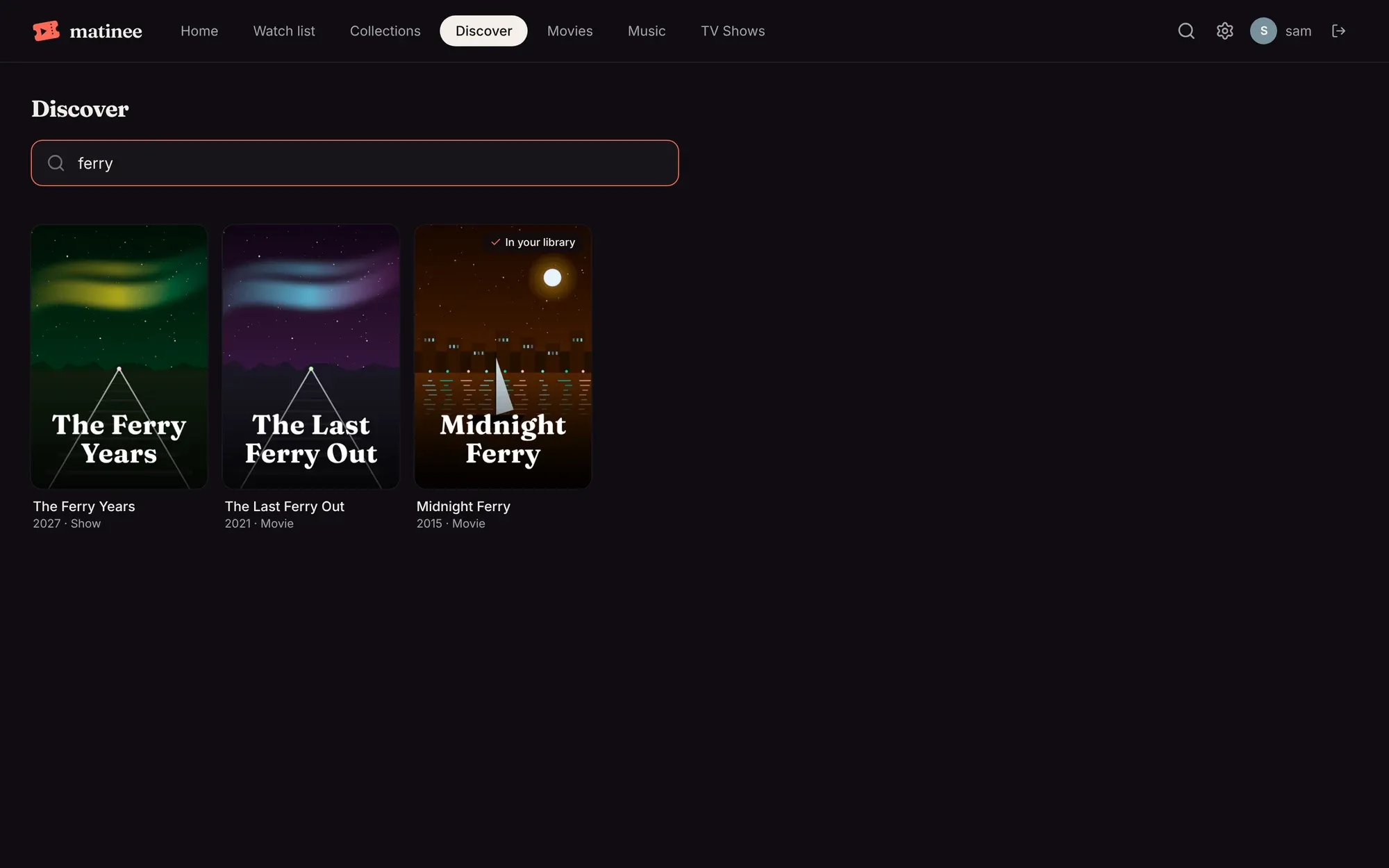
Section titled “Searching”The search box at the top finds any movie or show, not only what’s in your libraries. Titles you have show In your library, with an Open button that takes you to them.
Who sees Discover
Section titled “Who sees Discover”- Everyone with an account, while Overseerr is connected.
- Devices at home that haven’t signed in can browse Discover but not ask for anything.
- Kids profiles don’t see Discover at all.
- Who can ask follows the same setting as Radarr and Sonarr: with Only admins add titles, everyone else can browse but not request.