
Your phone as the TV's remote
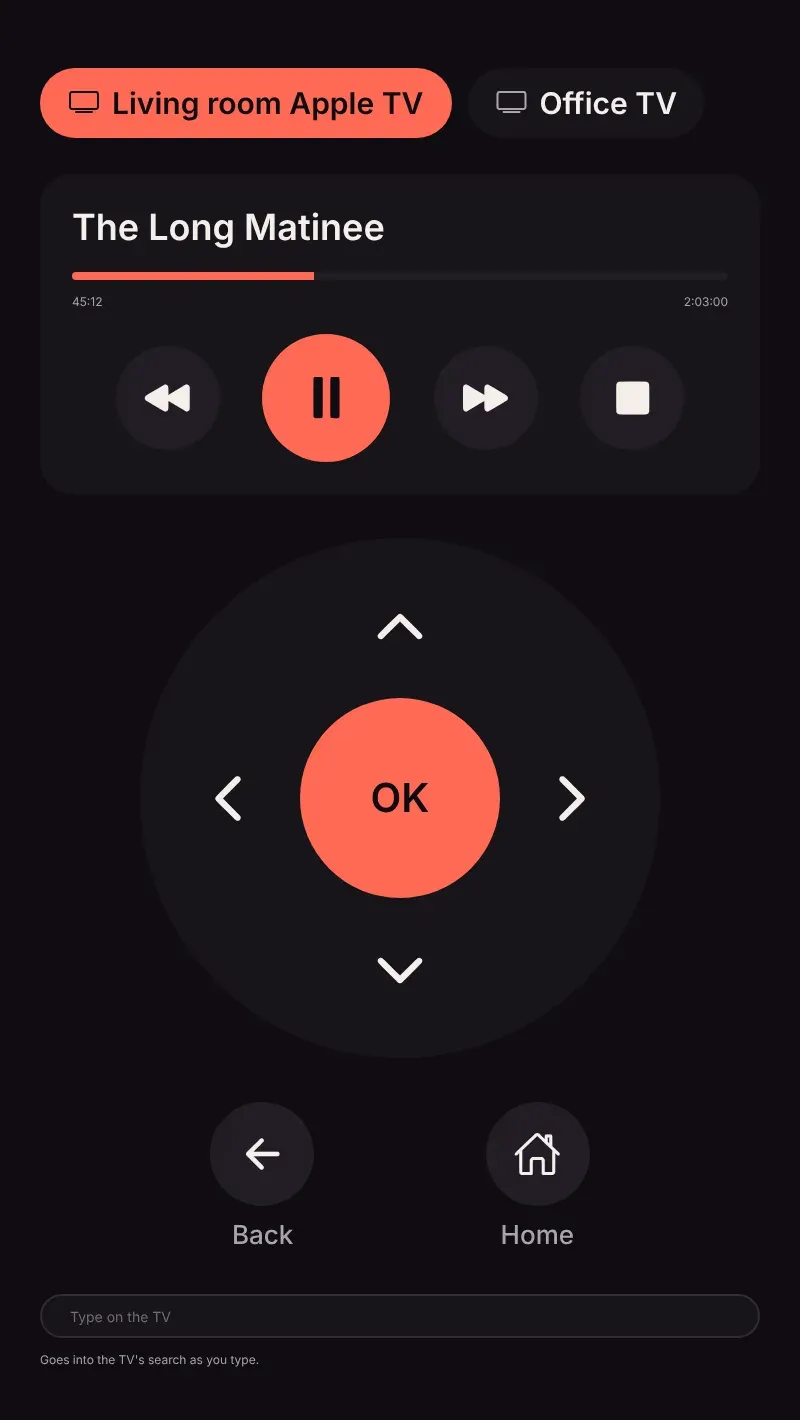
The Matinee app on your phone or tablet can drive Matinee on your TV: move around and pick things with your thumb, pause or skip from the couch, and type searches with your phone’s keyboard instead of the on-screen one.
It works with Matinee on Apple TV, Android TV, Google TV, Fire TV, Samsung and LG TVs. There’s nothing to set up on the server, and nothing goes through anyone else’s servers: your phone sends each press to your own Matinee server, which hands it to the TV.
Open the remote
Section titled “Open the remote”- Open Matinee on the TV.
- On your phone or tablet, open Matinee and go to Settings → Remote.
- Pick the TV. Every Matinee player you may control is listed, with what it’s playing.
What you can do
Section titled “What you can do”- Move around with the arrows, or swipe on the pad: swipe up, down, left or right to move one step that way, and tap the middle to press OK.
- Back does what the remote’s back button (Menu on Apple TV) does, and Home goes to Matinee’s Home on the TV.
- Play and pause, jump back 10 seconds or forward 30, and stop, while the TV plays something. The title and how far along it is show what’s on.
- Type in the box at the bottom. What you type goes to the TV’s search as you type, so the results fill in on the TV. If the TV isn’t on a screen with a box to type in, it opens Search.
Which TVs show up
Section titled “Which TVs show up”- The TVs and other devices signed in to your own account are always there, at home and away.
- At home, TVs that nobody signed in on (they use the server’s shared Home account) show up for every grown-up in the household, as anyone at home could pick up that TV’s remote anyway.
- Admins see every player on the server.
- Kids profiles don’t get the remote.
The TV needs the Matinee app open; a TV that’s off or showing another app isn’t listed as online. The remote needs Matinee for TV 1.0.43 or later and the server v0.2.8 or later.
If a press doesn’t work
Section titled “If a press doesn’t work”- The TV says it’s offline. Open Matinee on the TV; it checks in with the server within a few seconds.
- “That TV can’t do that.” The TV runs an older Matinee app; update it from the TV’s app store.
- Presses are slow. Each press goes to the server and on to the TV, so a slow connection to the server shows. At home, make sure the phone uses the home network rather than mobile data.