
Live TV
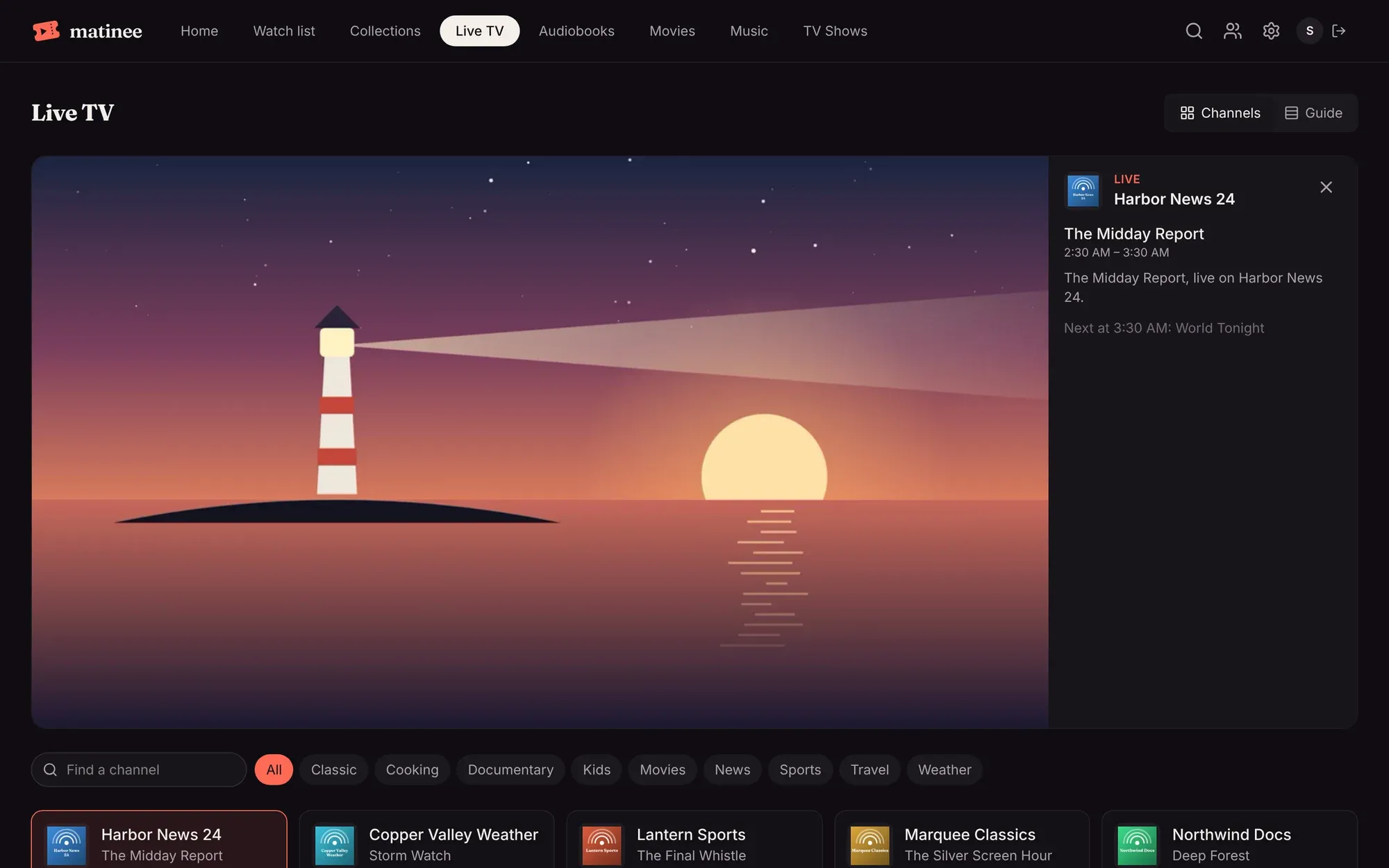
Live TV in the top bar (under Libraries on a phone) lists the TV channels your server has, with what’s on now and what’s next. Click a channel to watch it live at the top of the page. Find a channel by name or number, or pick a category such as News or Sports.
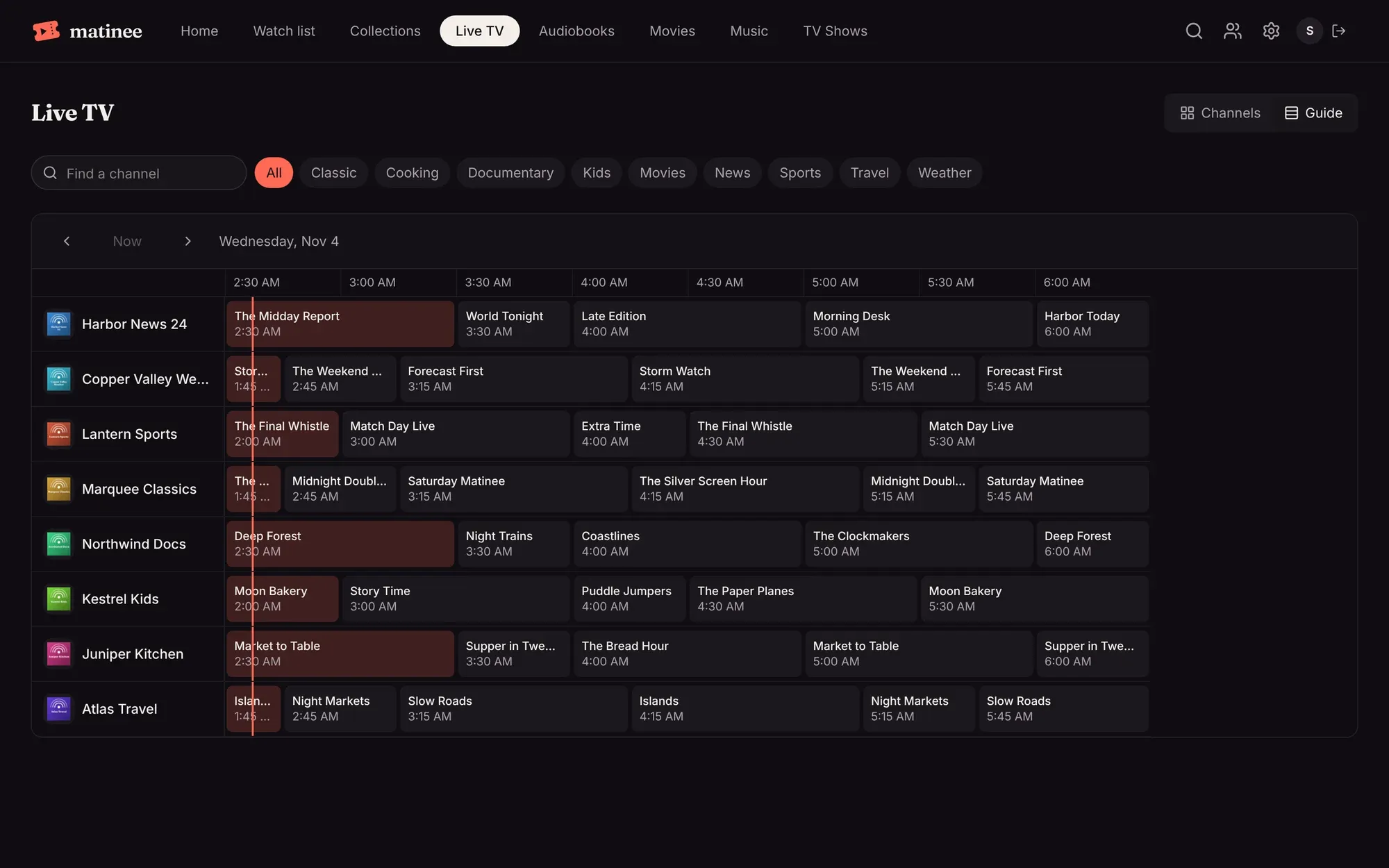
Guide shows the next four hours on every channel, a row per channel. The line marks now. Use the arrows to look further ahead, and Now to come back. Click a channel or a show to watch the channel.
Live TV is for grown-ups at home: kids profiles and friends don’t see it, since channels aren’t rated.
The Matinee apps for phones and TVs have Live TV too, with the same channels and guide, from app version 1.0.26.
Adding channels
Section titled “Adding channels”Admins add channels in Settings → Live TV with Add channels. There are two ways:
- Public channels (iptv-org). iptv-org keeps lists of TV channels that are streamed publicly on the internet. Pick countries, categories or languages, and Matinee adds the channels that match one pick of each kind: United States and News adds the US news channels. Leave everything empty for every channel on the list, which is thousands.
- Your own playlist. Any M3U playlist of channels, by its web address: one a TV provider gives you, one your own tuner software makes, or one you keep yourself. It can be on your home network.
Either way you can add a guide: the web address of an XMLTV file (.xml or .xml.gz) that says what’s on. Matinee matches the guide’s channels to the playlist’s by their tvg-id, or by name when a playlist has no ids. A playlist that names its own guide in its first line (x-tvg-url) uses that one when you leave it empty. iptv-org’s lists don’t come with a guide.
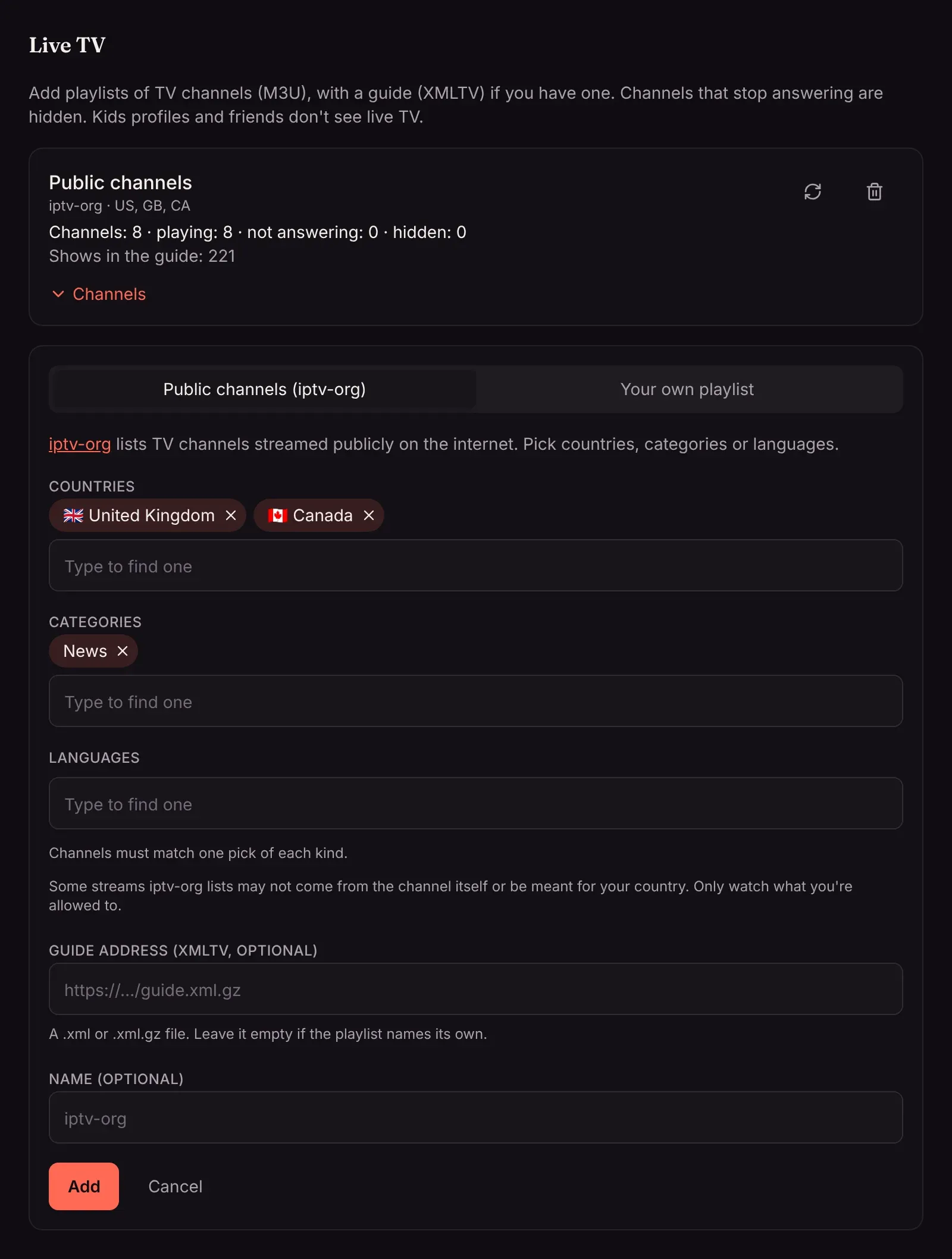
iptv-org lists streams it finds in public. Some come straight from the channel; others may not, or may only be meant for viewers in one country. Only add and watch what you’re allowed to where you live, and hide anything you don’t want.
Channels that stop working
Section titled “Channels that stop working”Matinee checks every channel’s stream every six hours, and right after you add a playlist. A channel that fails two checks in a row is hidden from everyone until a check finds it working again. In Settings → Live TV, each playlist says how many of its channels play, how many aren’t answering and how many you hid.
Open Channels under a playlist to see all of them, with how each one’s last check went. Hide a channel nobody wants with the eye button, and show it again the same way. Refresh now reads the playlist and guide again; Matinee also does that by itself twice a day.
How channels play
Section titled “How channels play”Players never connect to a channel themselves: the server fetches the stream and passes it on. So channels on plain http, on your home network, or that only answer one kind of player still play in a browser, on a phone and through remote access. Channels that stream as HLS, which is most of them, are passed through as they are. Others, such as MPEG-TS from a tuner, are repackaged as HLS without converting the picture.
Matinee only plays the streams a playlist points at. It doesn’t look for streams on websites, record, or get around ads or copy protection.