
Watching together
Watch together keeps several players in step: you on the sofa, your sister in another city, a friend on their phone. Whoever presses pause pauses it for everyone, and skipping ahead takes everyone along.
Start a session
Section titled “Start a session”- Start the movie or episode.
- Press the people button in the player’s controls, then Start Watch together.
- Send the six-letter code, or press Copy link (Share on a phone) and send the link.
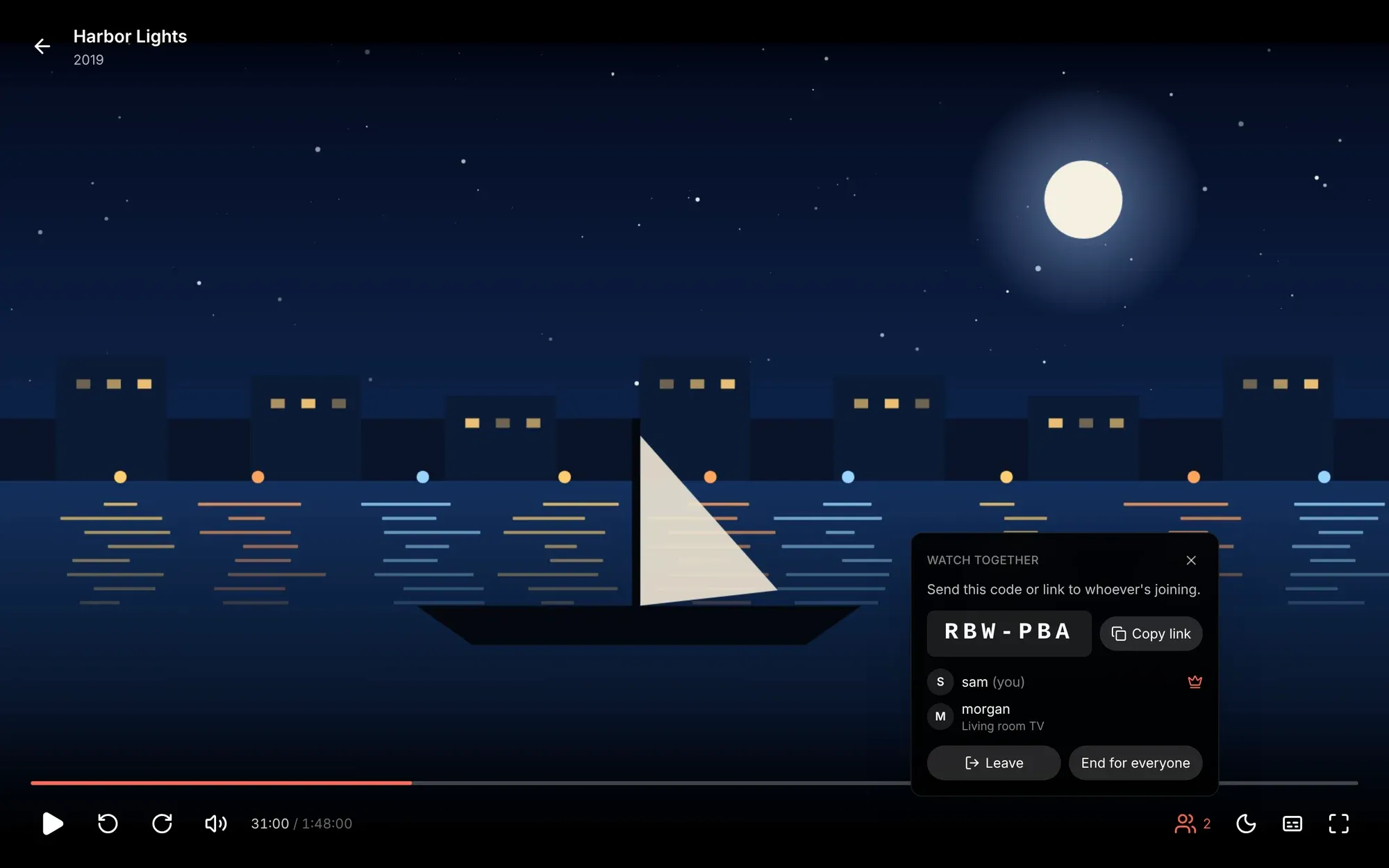
The menu lists who’s watching and on which device; a crown marks who started it. Leave takes just you out. End for everyone stops the session for all.
Join one
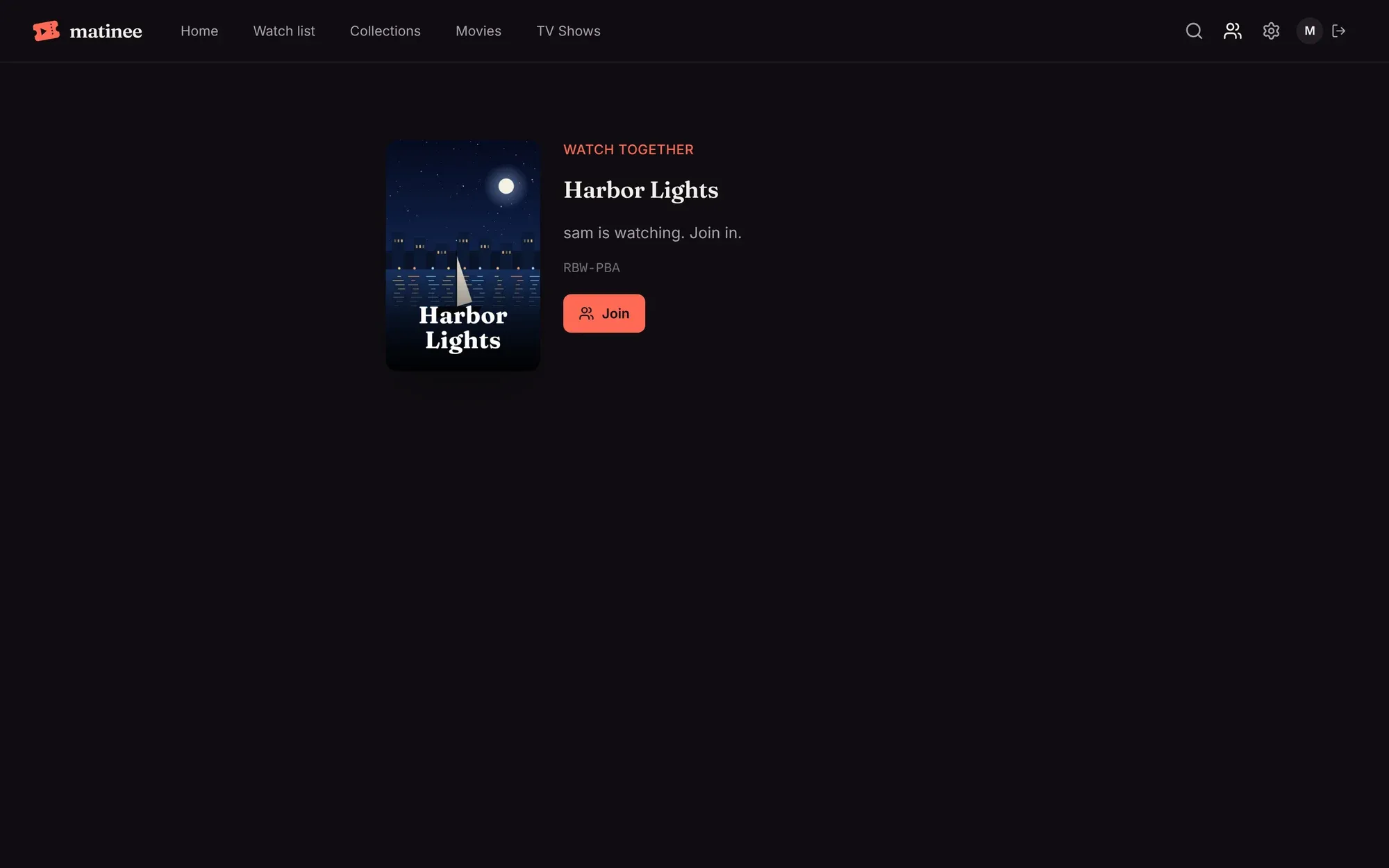
Section titled “Join one”Open the link someone sent you, or press the people button at the top of the web player and type the code. You see what’s playing and who started it; press Join and the player opens at the same moment as everyone else.
In the phone and TV apps, open Settings → Watch together and type the code, or open the link on your phone.
Anyone who can sign in to the server can join with the code, as long as what’s playing is in a library they can see. A friend who wasn’t given that library is told it isn’t shared with them.
While you watch
Section titled “While you watch”- Play, pause and skipping go to everyone. The player shows who did it, such as “Alex paused”.
- The next episode starts for everyone when it starts for one of you.
- Falling behind: a player that buffers or starts late catches up by itself; if it’s more than two seconds off, it jumps back in line.
- Subtitles, audio tracks, quality and volume stay your own.
- Leaving the player leaves the session. The others carry on.
If the server restarts in the middle, for an update say, the players reconnect and carry on in the same session once it’s back.
Privacy
Section titled “Privacy”Everything goes through your own server: the players tell it what they do, and it tells the others. Nothing goes through Yeix or anyone else, and sessions aren’t kept once everyone has left.